

Time-in/out Using ZenSoft’s Mobile TimeClock App

Skip to main content
< Back

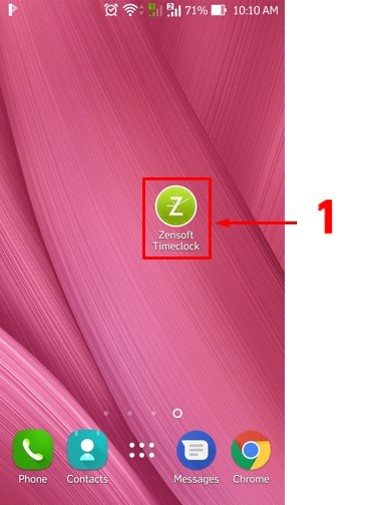
1.) Using your mobile phone, tap on the ZenSoft TimeClock Icon.
Final001

2.) Type your 5 DIGIT PIN CODE.

Final002

3.) Tap on the Clock In button.

Final003

4.) Take your photo by clicking the camera button.

Final004

5.) Click on Clock-In and you’re done.
The Retake button will let you take your photo again.
The Cancel button will cancel your clock-in.

Final005


Table of Contents

Comments are closed.

ZenSoft is a cloud-based Spa and Salon Management Software that is designed to effectively manage all aspects of your business operation from Point of Sale (POS) to Product Inventory, Marketing, Employee Management, Booking and Reservation Management, Sales Reports and many more.