

How Can We Help?
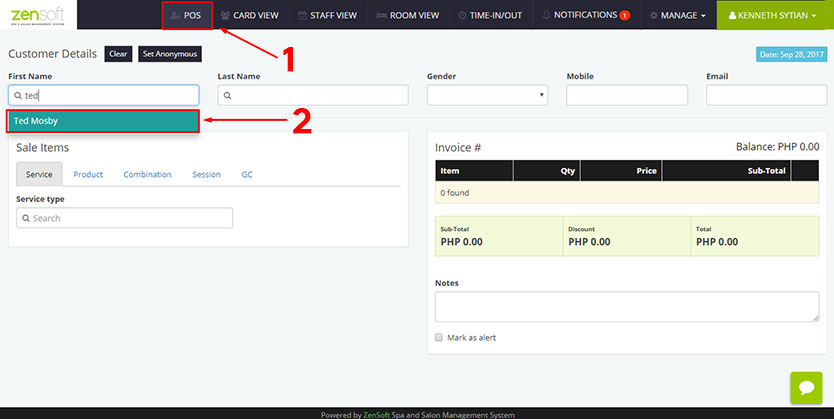 1.) Click POS.
2.) Search for the client’s name and click it.
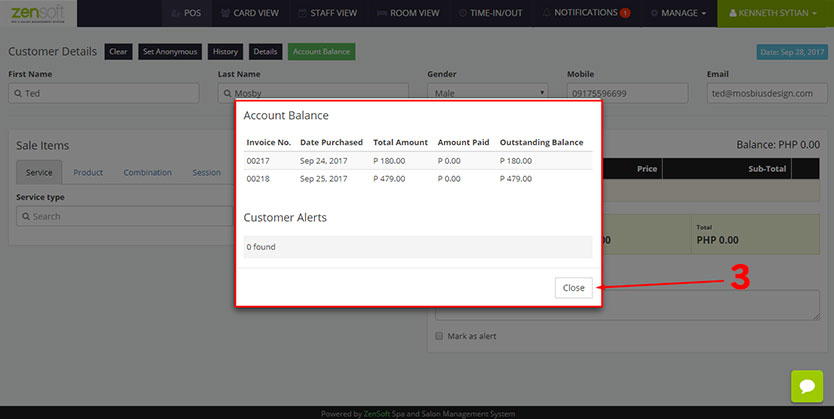 3.) The account balance pop-up window will show the balances of the client. Click the CLOSE button.
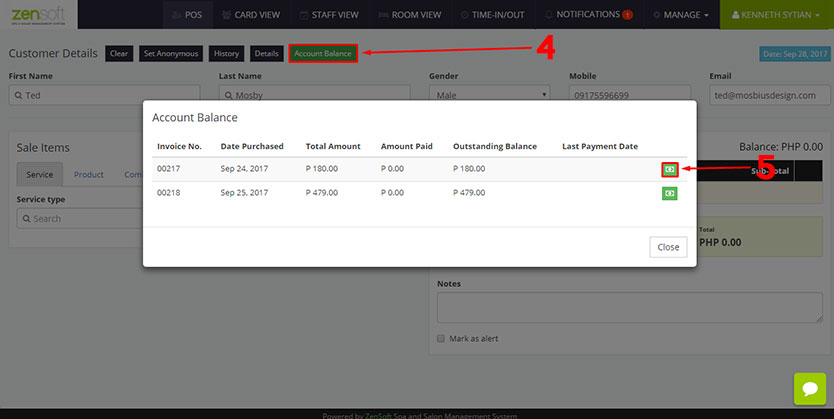 4.) Click the ACCOUNT BALANCE button.
5.) Click PAYMENT ICON on the invoice that the client will pay.
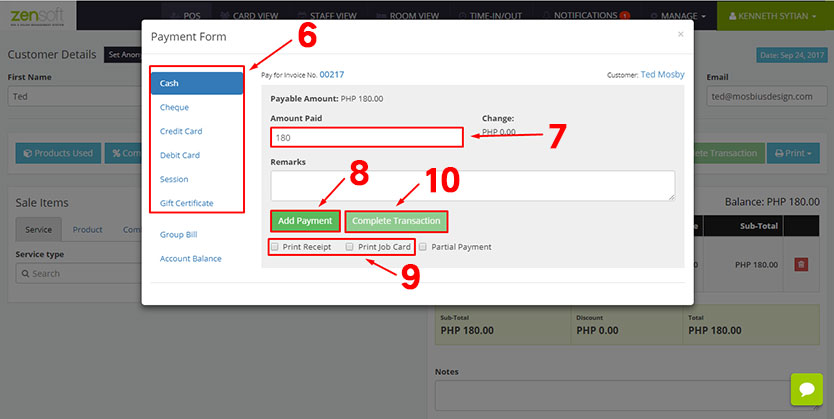 6.) Select the MODE OF PAYMENT the client will use.
7.) Type the AMOUNT PAID by the client.
8.) Click ADD PAYMENT button.
9.) Optionally, you can put a check mark on the PRINT RECEIPT / JOB CARD boxes. This will only work if you have a POS printer installed in your system.
10.) Click COMPLETE TRANSACTION.