

Back to the Support Center
The Partial Payment feature allows you to accept incomplete or partial payments from clients or “utang”.
In our example, client “John Castillo” bought a Glutathione package amounting to P 4,999. He will only pay P 2,500. The rest of the balance will be paid on his next visit.
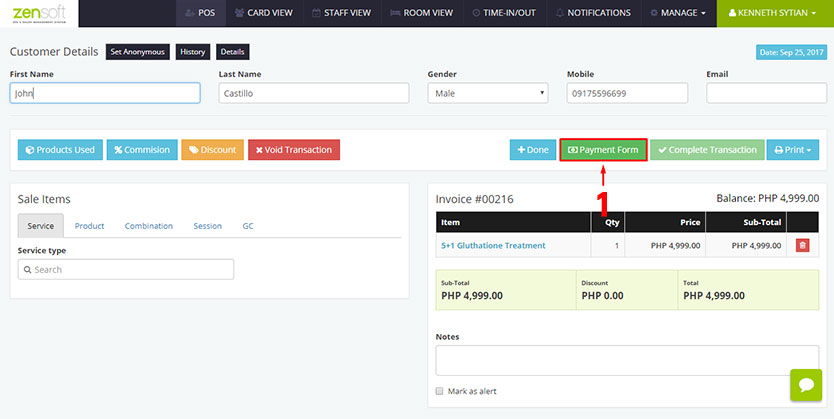
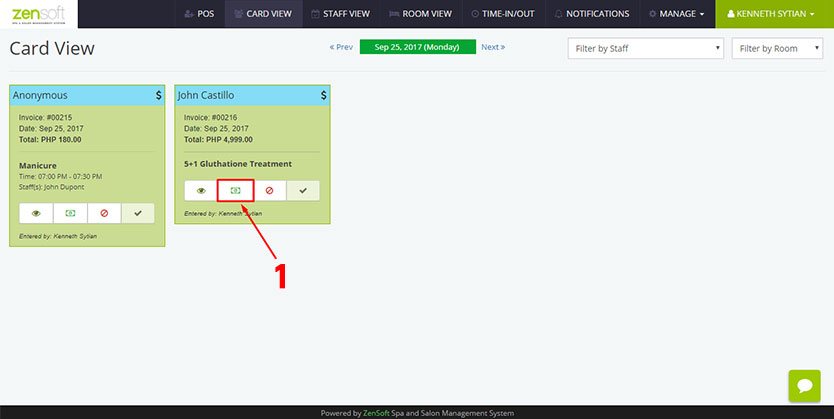
1.) From the Transaction Details page click the PAYMENT FORM button or from the Card View page click the PAYMENT ICON.
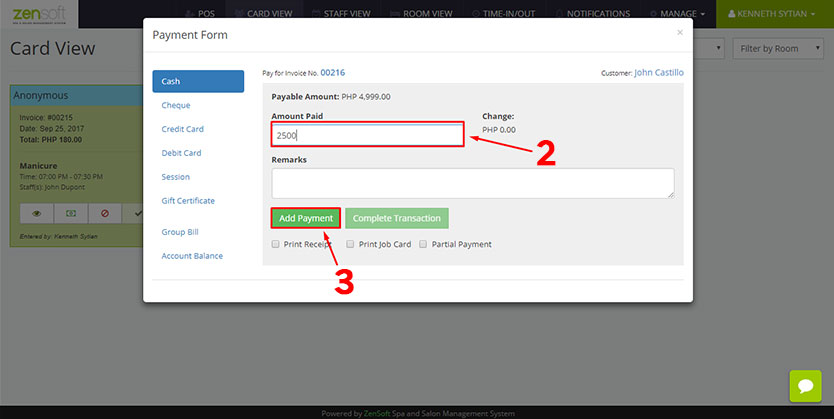 2.) Type the amount that the client will pay in the AMOUNT PAID box. In our example, it’s 2500.
3.) Click the ADD PAYMENT button.
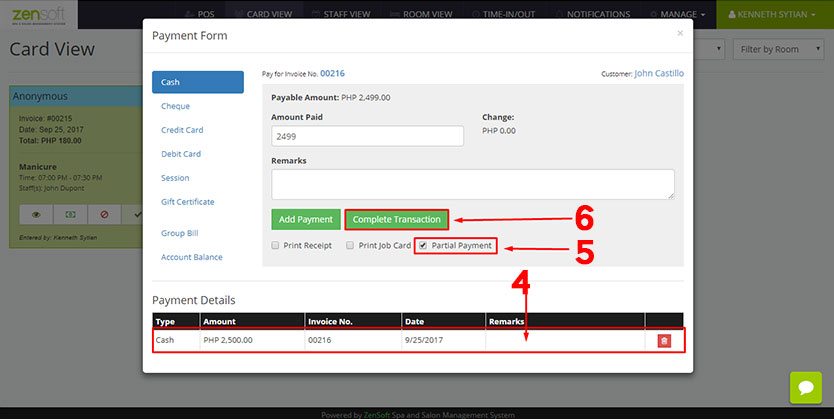
4.) The payment you just added will appear in the Payment Details
5.) Put a check mark on the PARTIAL PAYMENT box.
6.) Click the COMPLETE TRANSACTION button.
Learn more on How to Pay Account Balances.