

Back to the Support Center
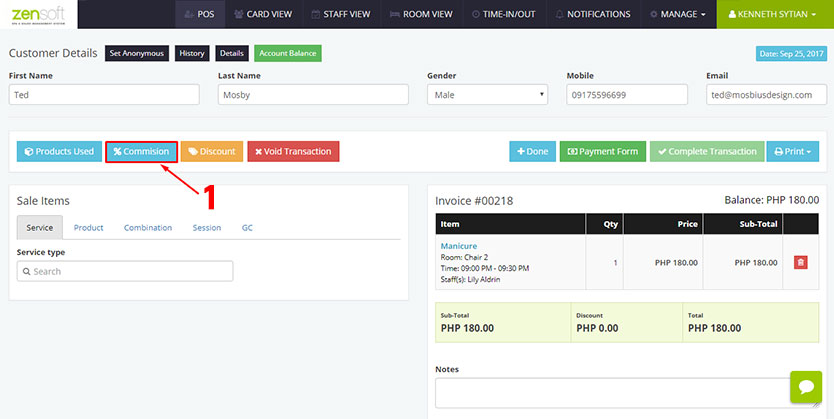
1.) From the Transaction Details page click the COMMISSION button.
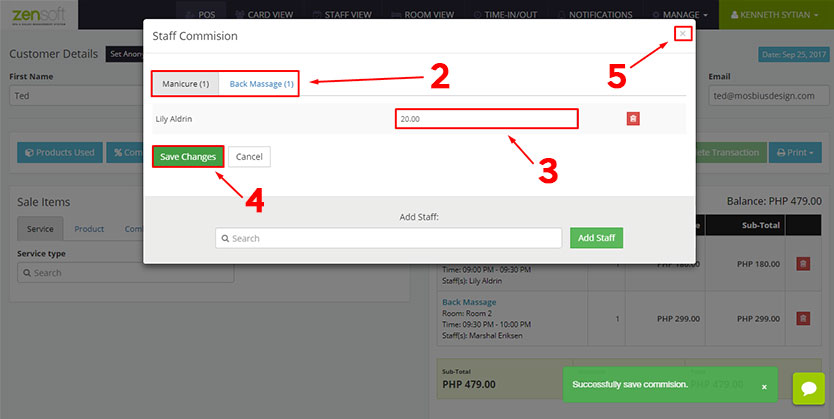
2.) Select the appropriate SERVICE TAB.
3.) Type the desired COMMISSION.
4.) Click SAVE CHANGES.
5.) Click the CLOSE BUTTON.