

Back to the Support Center
To void a certain transaction follow the steps below:
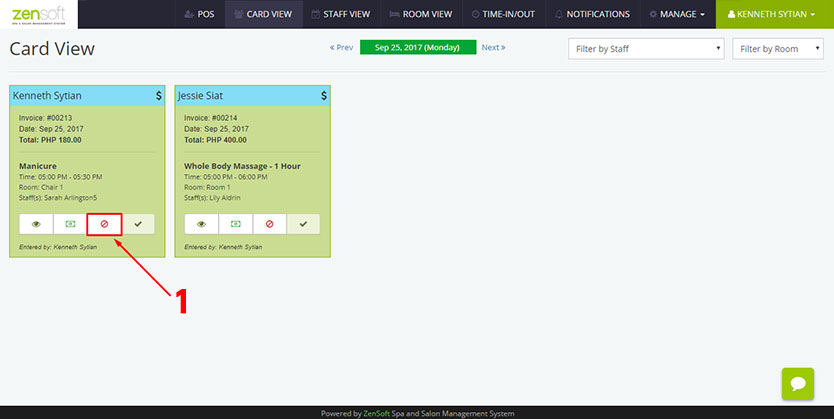
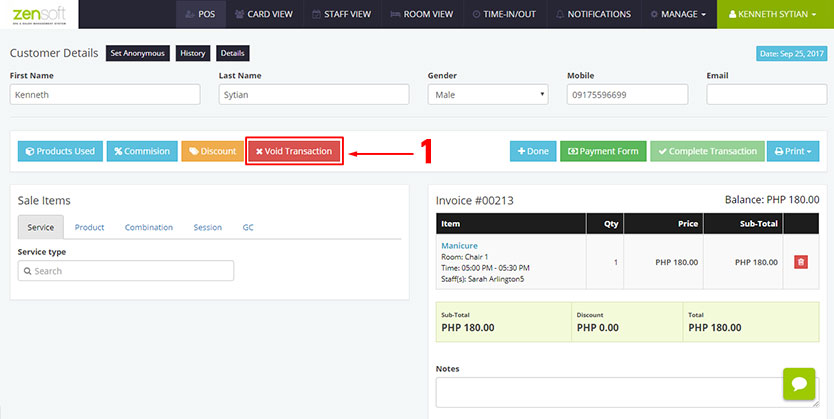
1.) There are two ways to void a transaction. By clicking the VOID ICON in the Card View Page or by clicking the VOID TRANSACTION button in the transaction details page.
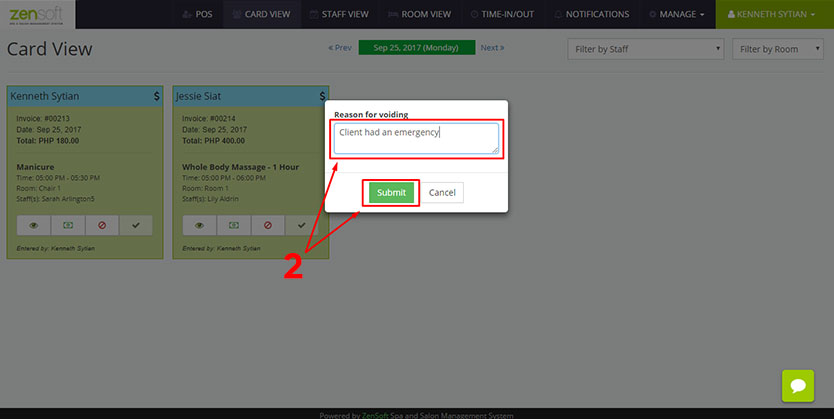 2.) Type the reason why you are voiding the transaction and click the SUBMIT button. The reason will be seen in the Voided Transactions Report
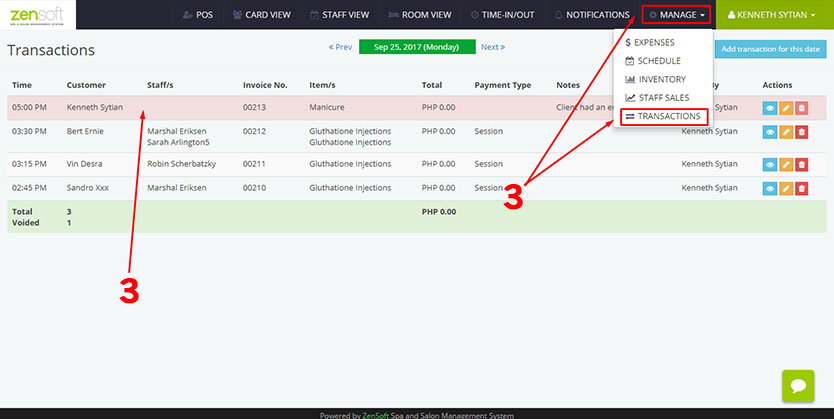 3.) In the Transactions Page (located under MANAGE > TRANSACTIONS), all voided transactions will have RED HIGHLIGHT.