

Back to the Support Center
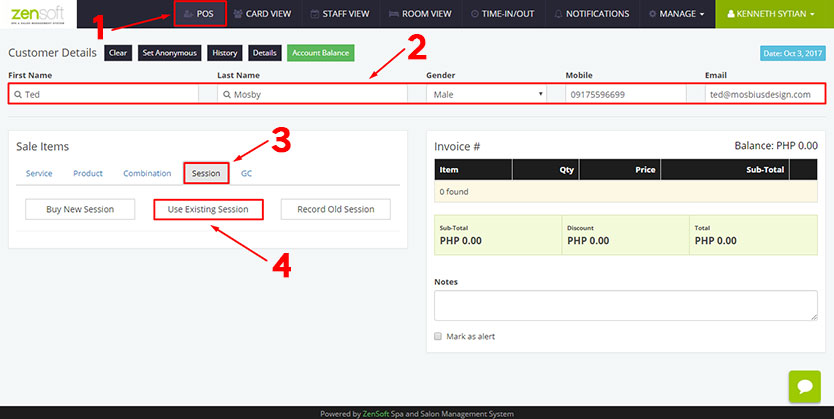
1.) Click POS
2.) Type the CUSTOMER DETAILS. When using a client’s session, first name and last name is required.
3.) Select the SESSION tab.
4.) Click USE EXISTING SESSION.
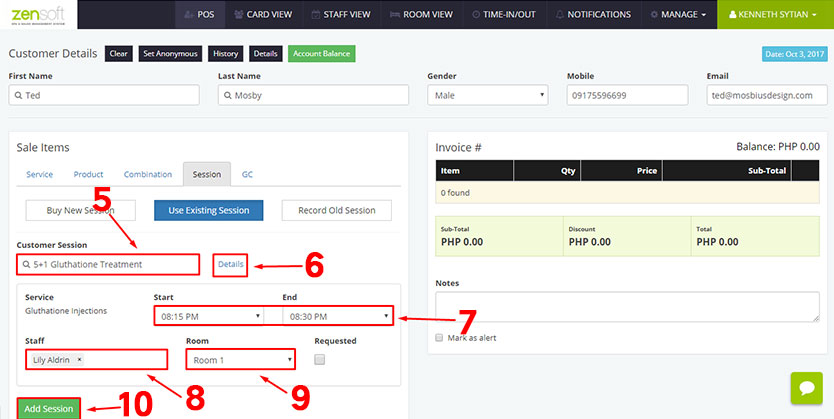
5.) Select the SESSION that the client will use.
6.) You may click the DETAILS button if you want to see the how many times the session has been used.
7.) Select the TIME START and END.
8.) Select the STAFF assigned to the client.
9.) Select the ROOM where the client will be assigned.
10.) Click the ADD SESSION button.
11.) Click the DONE button.