

Back to the Support Center
After closing the cash register for the day, you may print an End-Of-Day-Report. This report contains the summary of the transactions for the entire day. This will only work if you have a POS printer installed in the system.
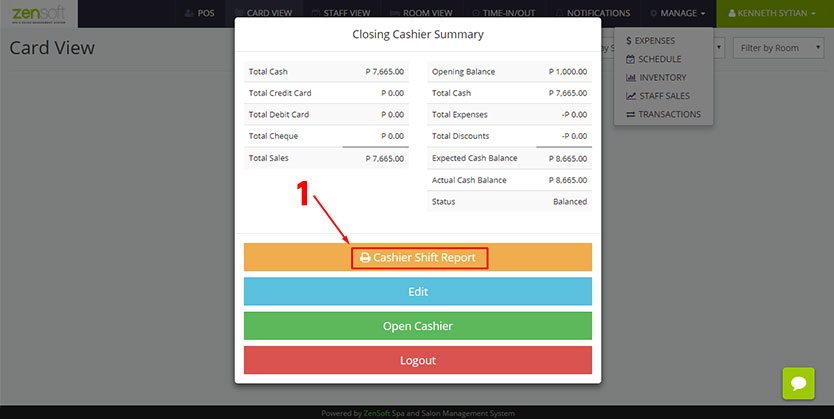 1.) Simply click on the PRINT CASHIER SHIFT REPORT button after you close the cash register. Learn more about Closing Cashier Register for the Day.
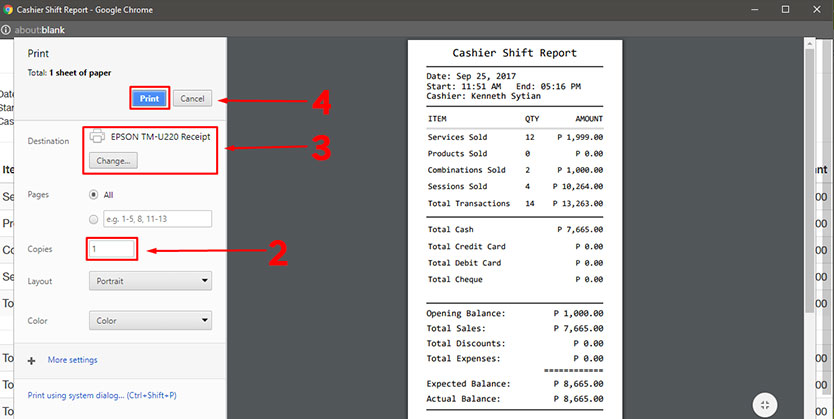
2.) Type the number of copies you want to print.
3.) Make sure that the POS Printer is selected.
4.) Click the PRINT button.